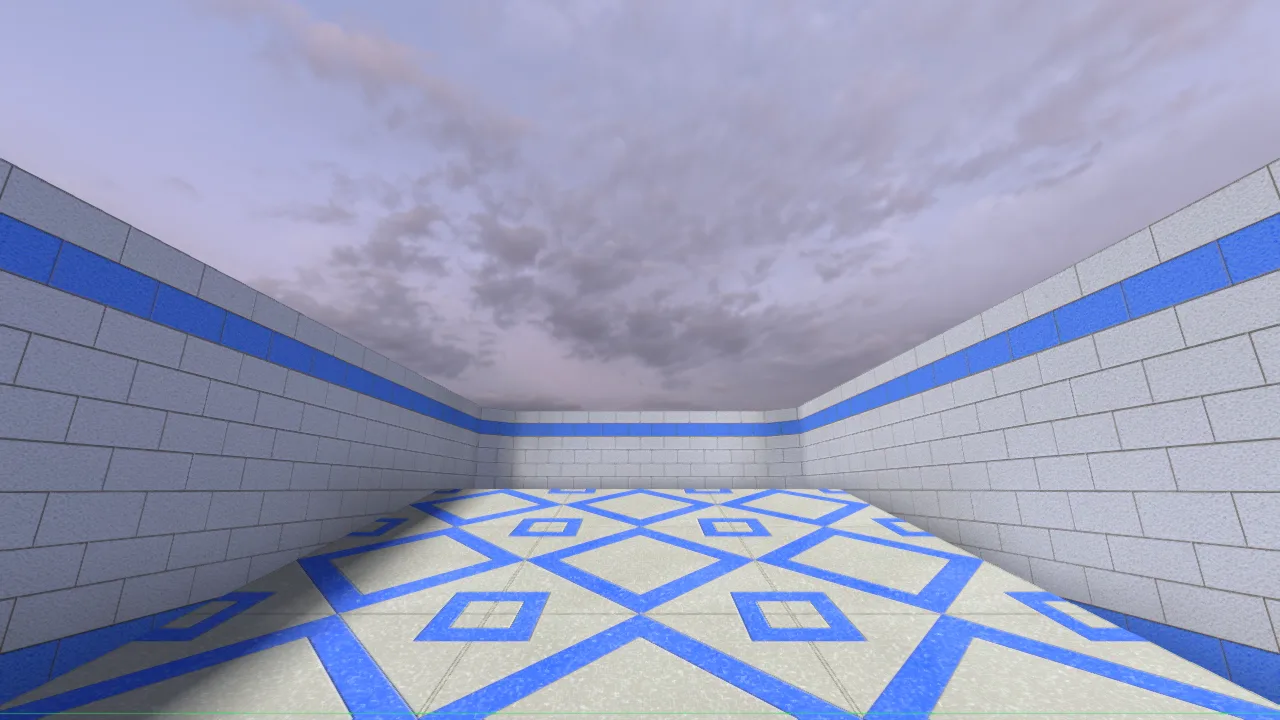
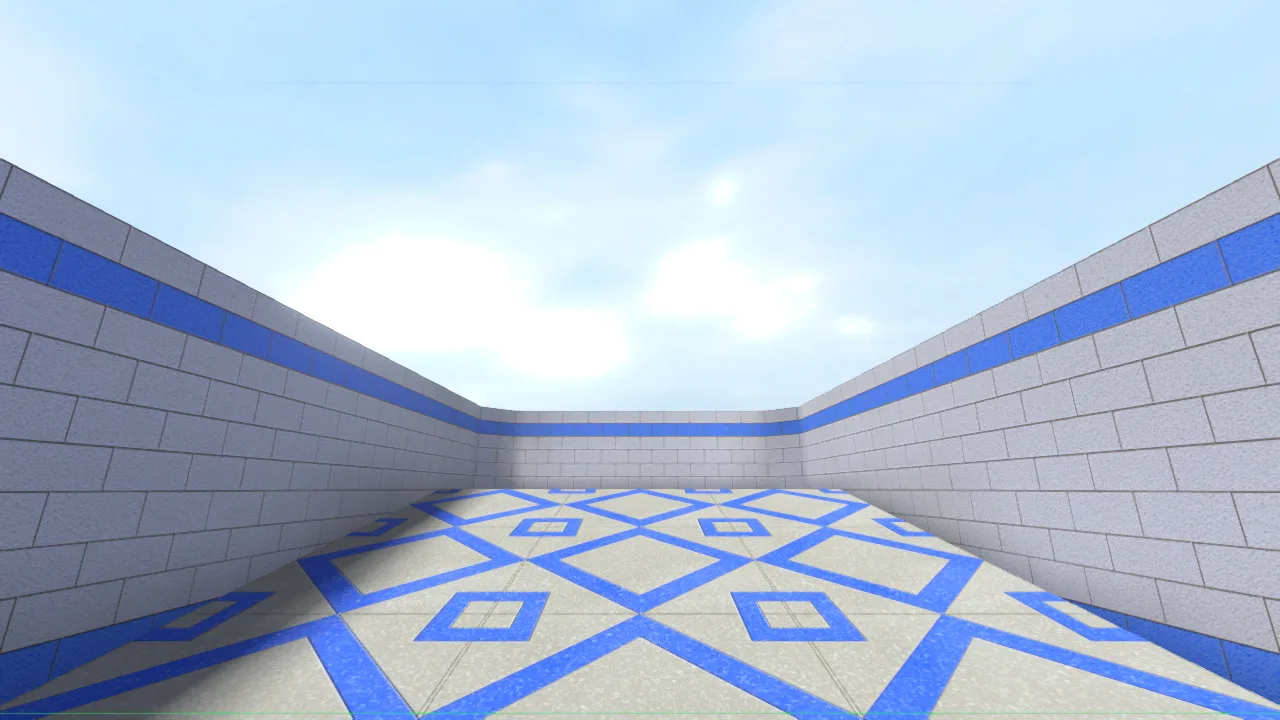
What a sky changes
A sky is the picture you see through a map's openings. The map stays the same: its walls, its 3D skybox, where you can go and how fast. Nobody else sees your sky.
Skies show in the Enhanced and Cinematic looks (Settings → Graphics → Look). Source and Plain draw the map's own sky, the way CS:S does, so picking a sky switches Look to Enhanced.
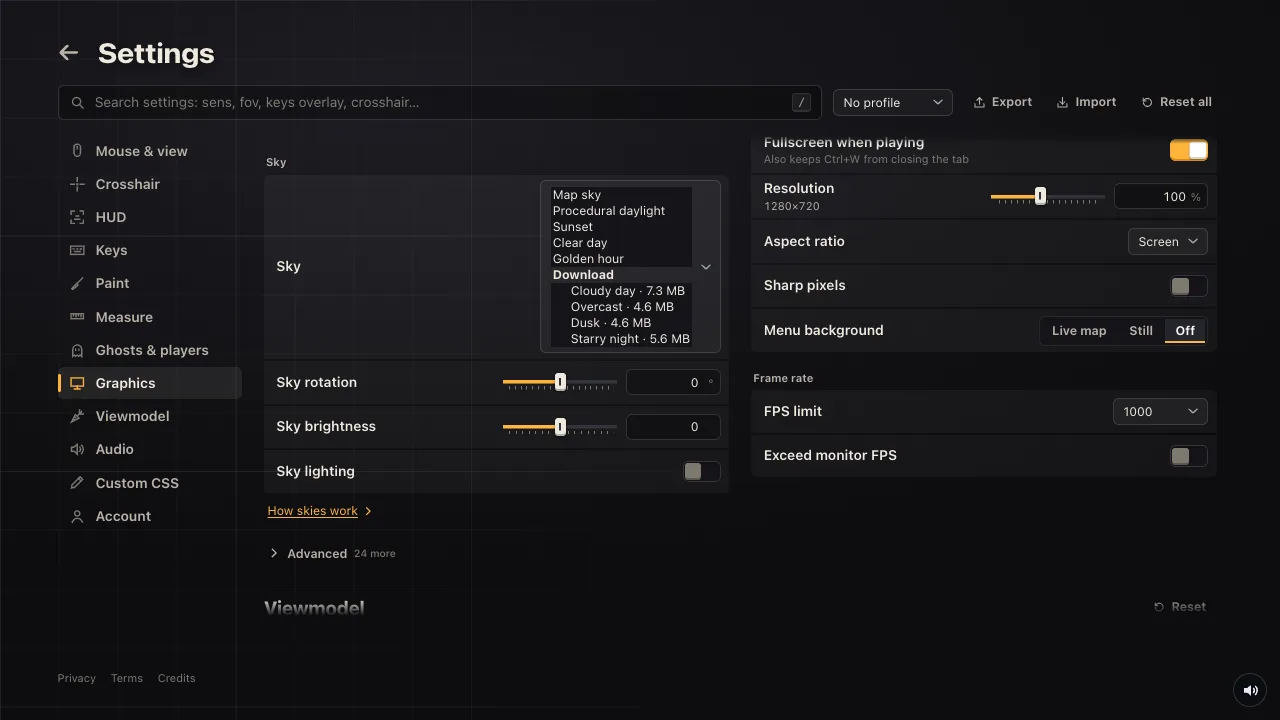
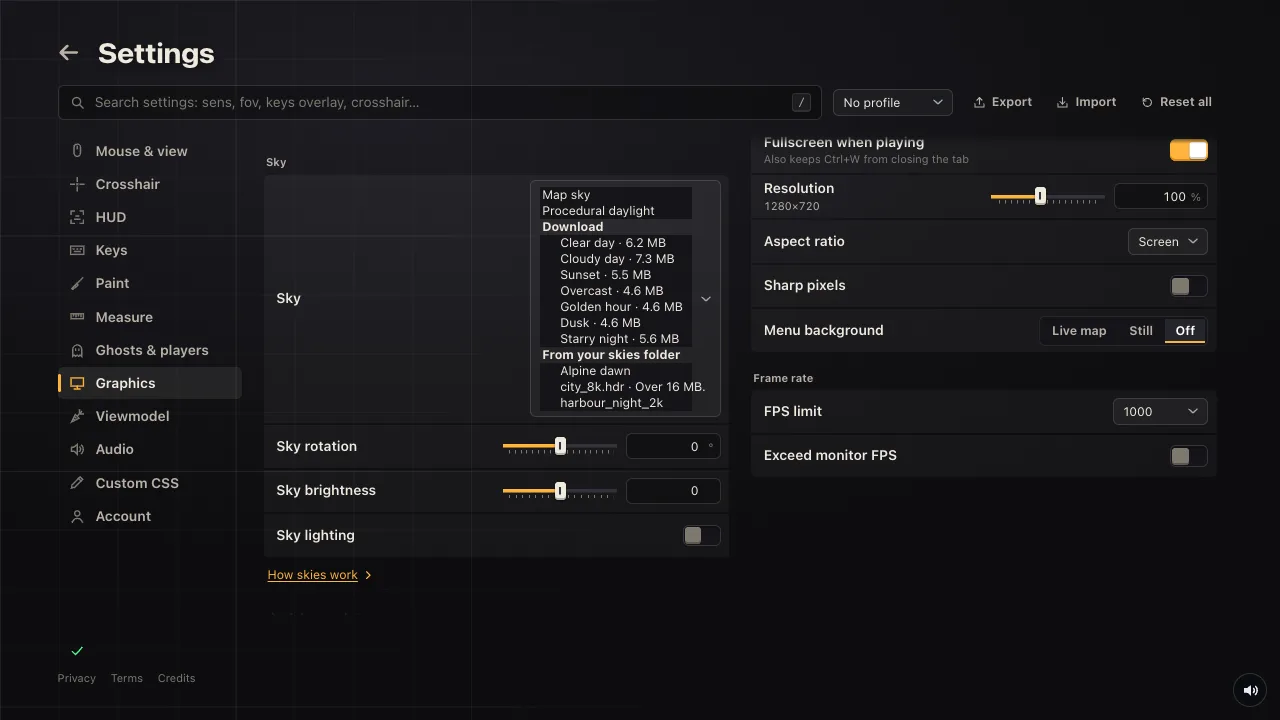
Under the picker, Sky rotation turns the sky around you, Sky brightness makes it brighter or darker, and Sky lighting lights the map with the sky's sun and colour, with sun shadows.
Pick a sky
Open the Sky list in Settings → Graphics. Map sky and Procedural daylight are always there, then the skies you've added. Under Download are seven more: Clear day, Cloudy day, Sunset, Overcast, Golden hour, Dusk and Starry night. Each downloads once (about 5 to 7 MB) when you pick it and stays in this browser.
Add one from a link
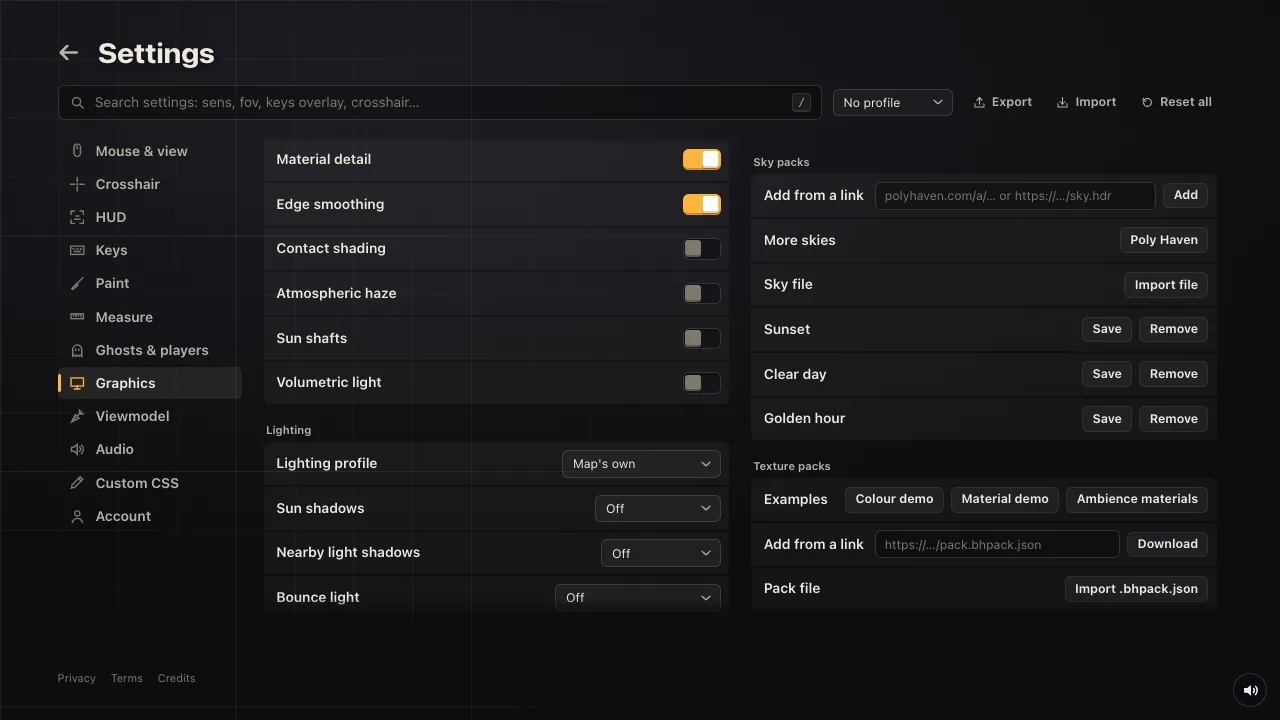
Open Advanced at the bottom of Graphics, then Sky packs → Add from a link. It takes four kinds of link:
- A Poly Haven sky's page, like
https://polyhaven.com/a/kloppenheim_06_puresky. Their skies are free to use (CC0); the game takes the 2k file. - A direct link to a
.hdrpanorama, up to 16 MB. - A direct link to a PNG, JPEG or WebP panorama, up to 24 MB.
- A direct link to a
.bhsky.jsonsky pack, up to 45 MB.
A panorama must be 2:1, twice as wide as it is tall (an equirectangular image, which is what HDRI sites give you). For a .hdr, use the 2k size, 2048 × 1024: a 4k or 8k one is too big to load. A PNG, JPEG or WebP can be bigger; the game keeps it at up to 4096 × 2048 and scales a bigger one down.
Links are fetched through bunnyhop.lol, so the site that hosts the sky never sees you.
Add a file
Import file (in Sky packs) takes a 2:1 panorama (.hdr, PNG, JPEG or WebP) or a .bhsky.json from your computer. You can also drag the file onto Settings while Graphics is open: the section gets a dashed outline, and when you let go the sky is added and picked.
Skies you add are kept in this browser, not with your account. Save next to one gives you its .bhsky.json to keep or share; Remove deletes it.
The desktop app's skies folder
In the desktop app, skies can live in a folder on your computer. Press F10, then Client → Open skies folder (or Open skies folder in Settings → Graphics → Advanced → Sky packs) and put panoramas (.hdr, PNG, JPEG, WebP) or .bhsky.json files in it.
They show in the Sky list under From your skies folder as soon as they're saved there, and leave it when you delete them. If you were using one that you delete, the map's sky comes back. Save a new version of a file and the game uses it.
The folder holds up to 24 skies: .hdr files up to 16 MB, pictures up to 32 MB, .bhsky.json up to 45 MB. A file the game can't use is listed greyed out, with the reason.
A Source skybox (six faces)
A CS:S or Source skybox is six square pictures (…lf, …rt, …up, …dn, …ft, …bk), usually .vtf files. Turn them into one panorama first:
- Save each face as a PNG: VTFEdit (File → Export) or
no_vtfconvert.vtffiles. - The free tool ffmpeg puts the six faces together into a 2:1 panorama:
ffmpeg -i skylf.png -i skyrt.png -i skyup.png -i skydn.png -i skyft.png -i skybk.png -filter_complex "[0][1][2][3][4][5]hstack=inputs=6,v360=c6x1:e:w=4096:h=2048:interp=cubic" -frames:v 1 mysky.pngThen add mysky.png like any other picture. If the sky straight above you looks turned, rotate skyup.png a quarter turn and try again.
Only use skies you're allowed to: each pack's page says what its author allows.
Sky packs (.bhsky.json)
A sky pack is one JSON file with the sky's picture inside it and a few settings: its name, its turn and brightness, and where its sun is. Whoever adds the file gets the same sky with the same sun, which makes it the way to share a sky.
The easy way to make one: add a .hdr or a picture from a link or a file, then press Save next to it in Sky packs. The game works out the sun and the ambient colour from the picture.
To write one by hand or with a script, these are the fields:
| Field | What it is |
|---|---|
schemaVersion | 1 |
kind | "bunnyhop-sky" |
id | Lower-case letters, digits, - and _, up to 64. Adding a pack with the same id replaces the old one. |
name, version | The name in the Sky list (up to 100 characters), and any short version text. |
format | "equirect": one 2:1 picture in asset. "cube": six square pictures in faces (px, nx, py, ny, pz, nz). |
asset, faces | Each picture: mime (image/vnd.radiance for a .hdr, equirect only; or image/png, image/webp), width, height, data (the file in base64) and sha256 (its hash, in hex). |
rotation, exposure | Optional. Degrees (−360 to 360) and stops (−8 to 8). |
clouds | Optional. "clear", "sparse" or "photographic"; a photographic sky turns Volumetric clouds off when picked. |
lighting | Optional. sun: direction (a unit vector, y up), color (RGB) and intensity (0 to 8). ambient: color and intensity (0 to 2). |
description, provenance | Optional. Where the picture is from and its licence. |
Pictures can be up to 4096 pixels wide (cube faces 2048), 32 MB in all, and a .hdr must be stored top to bottom (-Y … +X …, as almost every .hdr is). Our Sunset is a complete example (5.5 MB). A minimal one, with the picture cut short:
{
  "schemaVersion": 1,
  "kind": "bunnyhop-sky",
  "id": "my-sunset",
  "name": "My sunset",
  "version": "1.0.0",
  "format": "equirect",
  "clouds": "photographic",
  "asset": { "mime": "image/vnd.radiance", "width": 2048, "height": 1024, "sha256": "<sha-256 of the .hdr file, hex>", "data": "<the .hdr file, base64>" },
  "lighting": { "sun": { "direction": [0.42, 0.18, -0.89], "color": [1, 0.78, 0.55], "intensity": 0.65 }, "ambient": { "color": [0.82, 0.88, 1], "intensity": 0.2 } }
}
If a sky doesn't show
"That link is a web page." The link opens a page about the file rather than the file. Use the download link of the .hdr itself, or for Poly Haven, the sky's page link.
"That sky is too big." or "That file is over 16 MB." The panorama is 4k or more. Download the 2k version.
"A sky .hdr must be a 2:1 panorama." or "A sky picture must be a 2:1 panorama." The picture isn't twice as wide as it is tall. A cropped photo or a cube cross won't work; it needs an equirectangular panorama.
The sky is picked but nothing changed. Look is Source or Plain (they draw the map's own sky; set Look to Enhanced), or Potato mode is on, or you're somewhere without sky in view. On maps with a 3D skybox the sky shows only above and beyond it.